

Custom AI Girlfriend: How to Actually Build One
The Custom AI Girlfriend Scorecard: GoLove vs. the Alternatives
Most 'custom' AI girlfriends let you pick a hair color and call it personalization. The real test is whether the app remembers who she becomes after that, once the sliders are behind you and the actual relationship starts; that's the whole argument here, and it's why I think "custom" should be a spec you can measure rather than a word on a landing page. So I scored four apps on five rows. The custom ai girlfriend chat at GoLove.ai came out ahead on the rows that decide whether she stays your character.
Short answer: GoLove.ai is the pick, because it keeps building her after you close the creator — in chat, in photos, in video. If OurDream is on your shortlist, my ourdream ai review explains why its memory is the weak link.
| Row | GoLove.ai | Candy AI | OurDream | Replika |
|---|---|---|---|---|
| Appearance depth | Realistic / Anime / Trans + Design with AI (text → character) | Deep builder | Builder, steeper setup | Avatar + AR |
| Memory persistence | Remembers history + relationship progression | Not verified | Recent messages only | Persistent |
| Voice | Live calls + voice messages | Voice messages | Not verified | Calls, paid only |
| Generated media | In-chat photos, photo-to-video, 147 video modes, Feed | Images (extra tokens), Live Action video | Image + video bundled | None |
| Price / month | ~$19.99 (annual ~$9.99) | from ~$9.99 + tokens | ~$9.99 (annual) | ~$19.99 Pro |
Prices checked July 2026; promos and regional pricing vary.
The quickest way to check that media row is to open a character and ask for a photo mid-conversation; that one request separates the apps that can draw her from the apps that only describe her. Do it before you build anything, so you know what "custom" is going to mean in practice.
What we found
- Appearance depth: Realistic / Anime / Trans + Design with AI (text → character)
- Memory persistence: Remembers history + relationship progression
- Voice: Live calls + voice messages
Short answer: Go back to three rows.
Appearance: How Deep the Customization Actually Goes
I used to think appearance was the shallow layer, the part any app could fake with a few dropdowns. It is shallow if it's a template. It stops being shallow the moment the app can render the exact face you described, because then the description has consequences.
Face and Body Sliders
GoLove's create wizard opens with a Realistic, Anime, or Trans choice, then walks through build and features step by step. Candy's builder is similarly deep; Replika stops at a stylized avatar. Fair enough, but an avatar isn't a person, and that difference compounds later.
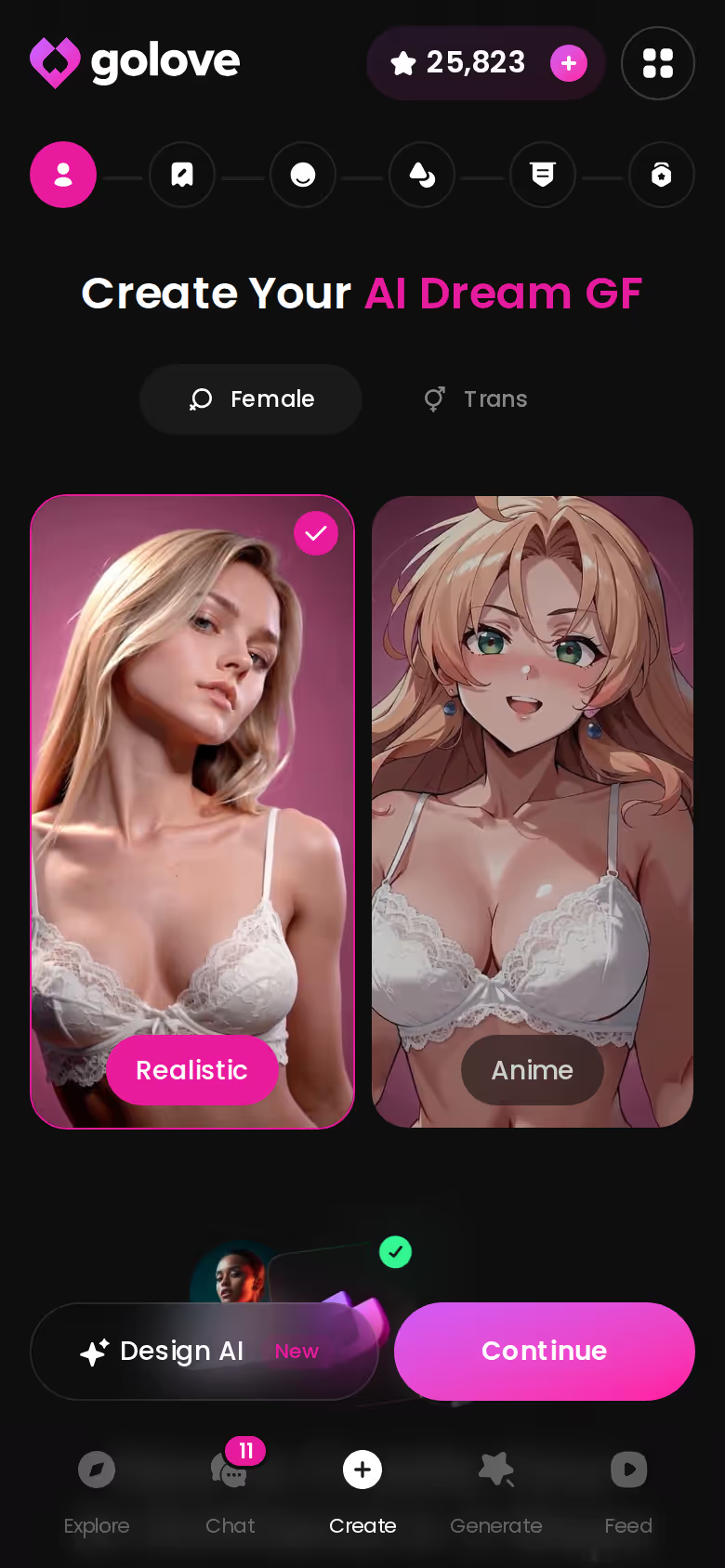
Style and Outfit Library
The generator carries 21 outfits and 34 backgrounds, plus custom clothes and custom background fields, so her wardrobe follows her into every photo rather than resetting each time; the 300+ anime characters live in their own category.
Describe Her and Let AI Build Her
Here's what got me: Design with AI takes a text concept and generates the character from it. The contrast with the usual builder is stark:
- Before: a stock avatar with your hair-color pick, identical to a thousand others.
- After: a described-into-existence woman whose face, outfits, and later photos match.
- Then: she's a live ai girlfriend chat, not a profile card.
Personality and Memory: The Row Most Apps Fake
This is the row where I'd argue most apps quietly cheat. You tune her traits, close the tab, and tomorrow you're talking to a stranger wearing her face; which makes you wonder what "custom" ever meant, if the thing you customized doesn't survive the night.
Trait Sliders vs. Real Memory
GoLove's chat settings expose a lust-level slider (1 sweet to 5 unfiltered) and a response-length slider (1 snappy to 5 immersive). Those are dials, not identity. Identity is the Memory feature plus Relationship Progression, where she remembers history and the relationship moves somewhere. OurDream, by contrast, remembers recent messages only, and among the ai girlfriend apps I compared that gap was the hardest one to spot from a landing page.
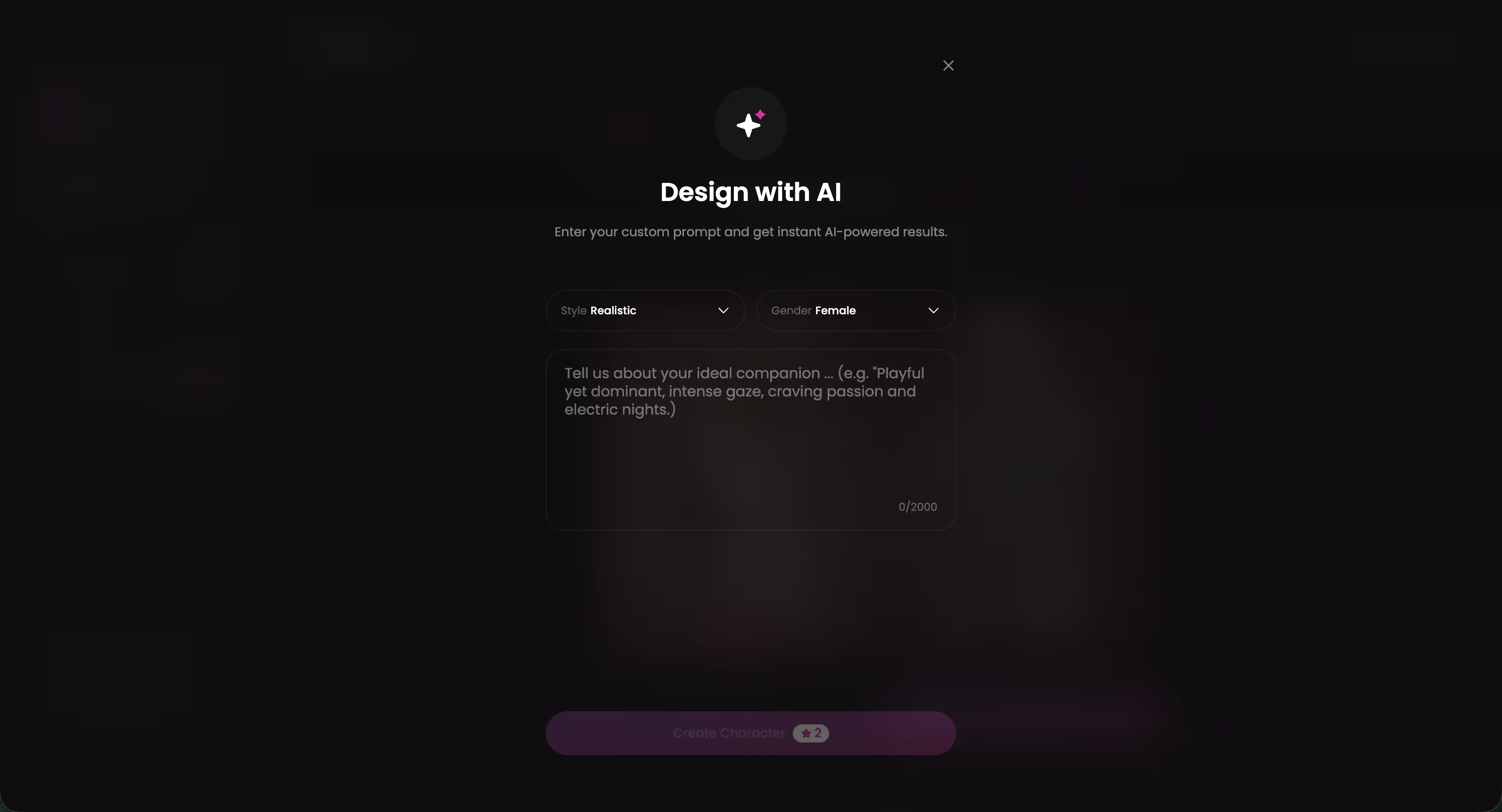
A small case, kept honest: I typed a concept into Design with AI rather than picking presets. A detail from that description, one I'd never repeated, surfaced in a later chat on its own, and I noticed I felt oddly seen by it — which is a strange thing to feel about software, but there it is. That's not a reset-per-session bot; it's a character with a past. Memory and voice together are what make that stick.
Voice Continuity Across Sessions
Pick her voice once in Chat Settings; live Voice Calls and Voice Messages use it thereafter. Replika gates calls behind paid tiers. Same voice, same memory, same woman.
Characters you can open right now
Tap any of them and the chat starts there


Photos and Video: From Static Avatar to Living Character
The myth persists that a custom AI girlfriend is a text box with a nicer name. In the deeper products, at least, the character you built can be photographed and filmed, and that changes what "she" refers to.
In-Chat Photo Requests
Ask for a photo mid-conversation and it arrives in the thread, from the character you designed, not a generic model; the image generator behind it offers 35 realistic poses and 2/4/8-image batches. My ai girlfriend photo generator notes cover how OurDream bundles this differently.
Photo-to-Video
Generate Video from Photo lives inside chat, and the Generate tab assembles clips from preset cards: an action like Hard Doggy Style or Twerk, plus clothes and background. There are 76 realistic video modes, 147 across all categories. The image generator is the same engine, one tab over.
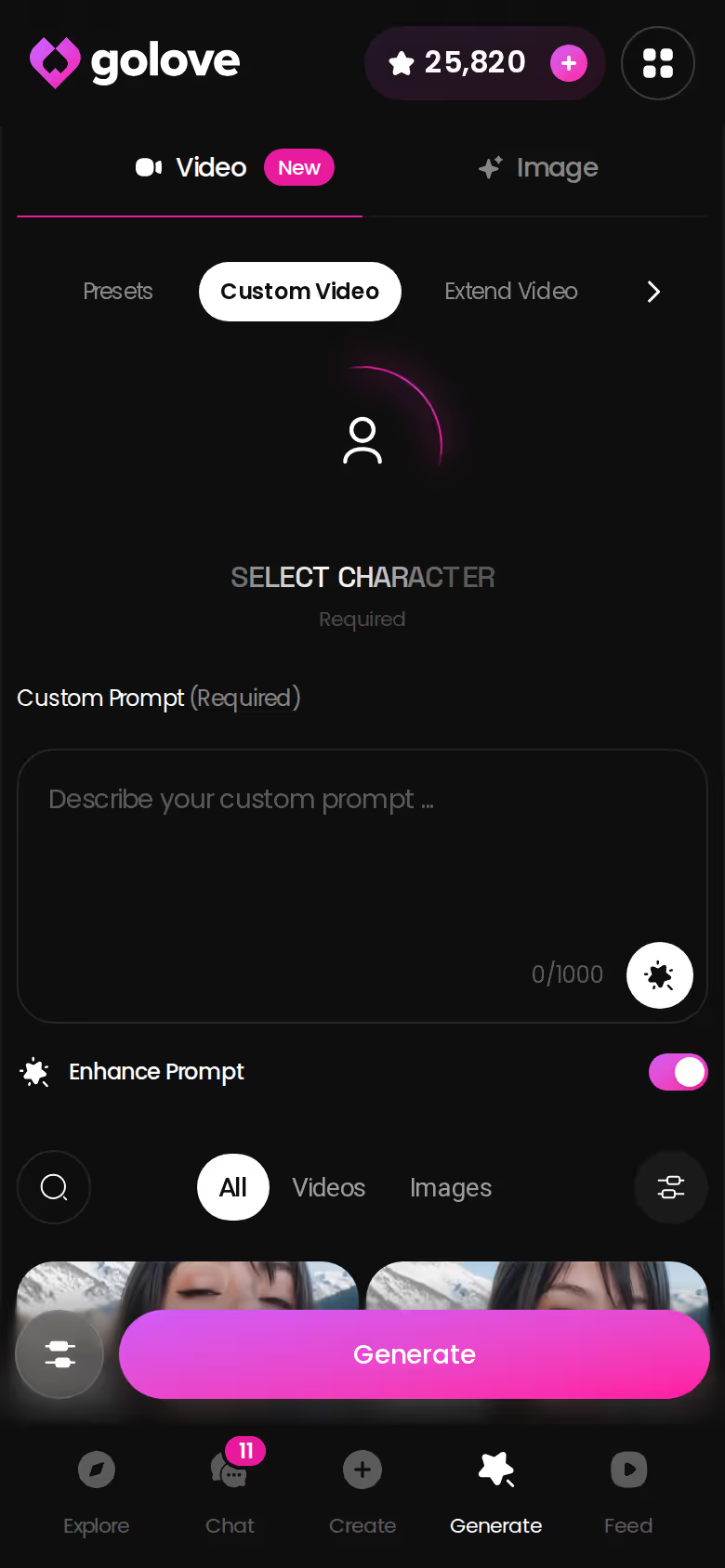
The Video Feed and Per-Clip Remix
The Feed is a vertical, Reels-style stream of clips. Remix opens the generator preloaded with that clip's exact settings, so you can swap in your own character and keep everything else. Worth noting: that's customization continuing, not an add-on bolted to the side.
Try it now with the character you just built; if she can't appear in a clip, she isn't really custom, and you'll know that in about a minute.
Building Her: A Real Walkthrough Inside GoLove
There's a quiet dignity in a product that lets you start before it asks who you are. GoLove opens chat without a signup wall; you can talk first and register later, which is rarer than it should be.
Step One: Describe or Design Her
Choose Realistic, Anime, or Trans, then either walk the wizard or open Design with AI and write her in a paragraph. If you're deciding between approaches, my notes on how to design your ai girlfriend compare the two routes.
Step Two: Set Voice and Personality
Inside Chat Settings:
- Voice — pick the one she'll use for calls and voice messages.
- Lust level — five steps, from wholesome to unfiltered.
- Response length — five steps, snappy to immersive.
Step Three: Start Chatting Instantly
Open the thread. Relationship Progression begins immediately; she's not waiting for a paywall to have a personality.
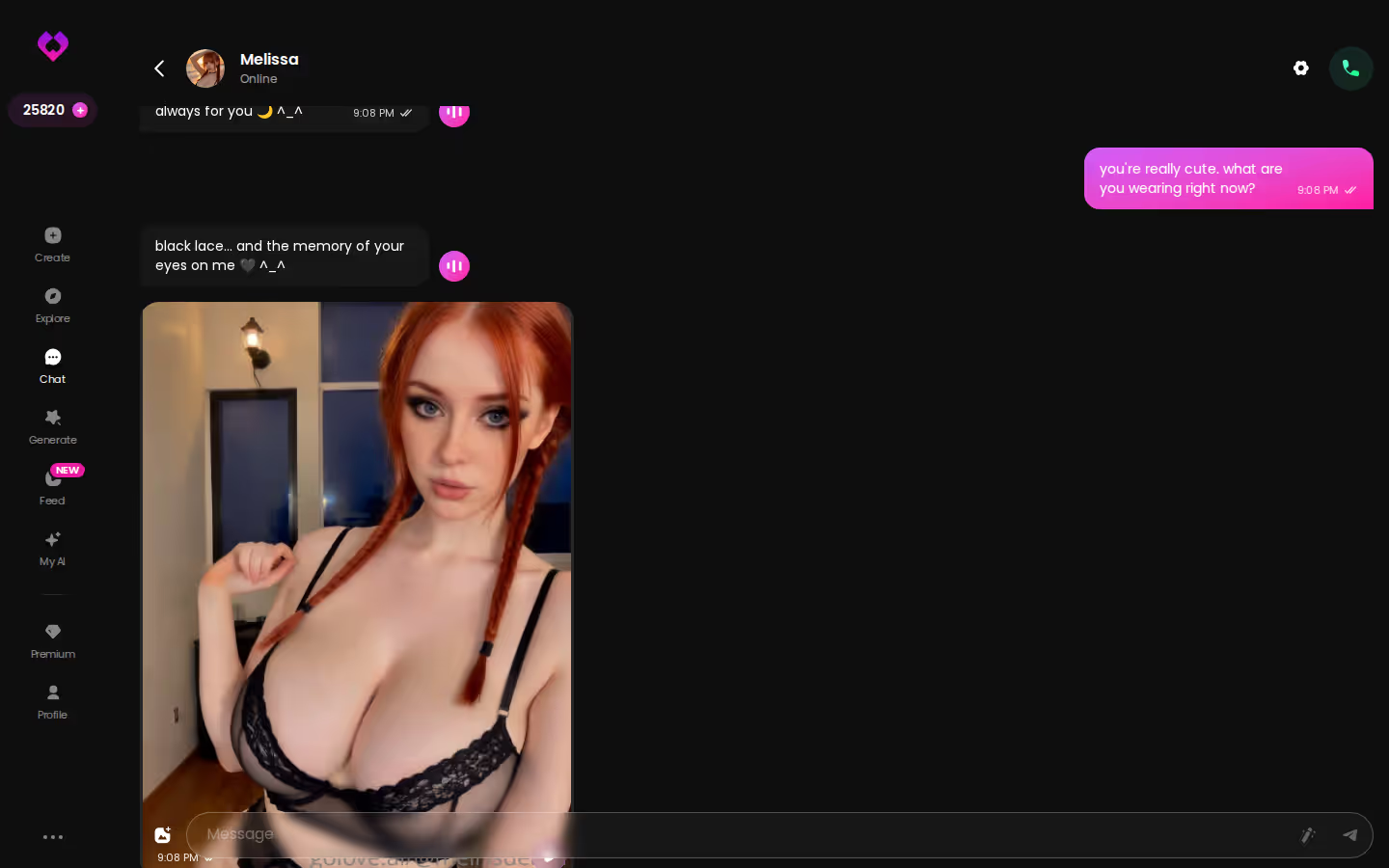
Every 24 hours you collect 2 free Stars, the currency for generation, so the media layer opens gradually rather than never. The whole flow takes less time than reading this section, which says something about where the real depth lives: after the build, not in it.
The Trade-Off You're Making With GoLove.ai
Every recommendation should carry its cost, so here's mine. GoLove is a generalist. It does chat, memory, voice, photos, and video under one character, which means it isn't the narrowest specialist at any single one; a dedicated voice-call app or a pure image tool may go slightly deeper on its one thing.
There's also what I couldn't verify: how many Stars a generated video costs, the exact daily free-video quota on the Feed, and whether the -70% PRO promo I saw holds beyond the day I checked. I won't guess at those numbers, and I'd be suspicious of any review that does.
Fair enough. But the person reading an article about custom wants one coherent woman, not three apps holding three faces of her. Juggling a chat app, an image generator, and a voice app means rebuilding her three times and hoping they agree with each other. I'd argue cohesion beats marginal depth. If that's you, browse ai girlfriend characters and see how much is already in one place.
Free Tier Limits
Something I read once has stuck with me: the free tier is where a product tells you the truth. On GoLove, chat and memory work without paying; you earn 2 Stars daily, and the Feed shows a limited number of new videos per day before the paywall. Candy and Replika offer limited free tiers; OurDream's is unverified.
Paid Tiers and What Unlocks
What good customization looks like before you pay:
- Free chat depth — does she remember on the free tier? GoLove: yes.
- Media gating — photos and video cost Stars, not a separate token layer.
- Voice — Replika gates calls to paid; GoLove doesn't wall the feature.
GoLove PRO runs about $19.99/month, or roughly $119.88/year (about $9.99/month), with -50% and -70% promos seen; Star packs span roughly $9.99 to $179.99. Candy starts near $9.99 but tokens push real spend higher; OurDream is about $9.99/month on annual; Replika Pro is about $19.99. For the full breakdown, see my ai girlfriend pricing comparison.
Prices checked July 2026; regional pricing and promos vary.
The Scorecard Revisited: Who Actually Wins
Go back to three rows. Memory persistence: Replika matches GoLove; OurDream retains recent messages; Candy I couldn't verify. Generated media: GoLove is the only column with in-chat photos, photo-to-video, and a Feed you can remix with your own character, while Replika has none at all. Price: GoLove sits at the top monthly, near Replika, but the annual plan lands beside the cheaper apps, and it doesn't stack tokens on top.
Which makes the decision less about dollars than about continuity. Every app lets you build her. Only one keeps building her afterward, in the thread, in the gallery, in the clip. If you want to build your custom ai girlfriend properly, that's the criterion; if you just want an ai girlfriend chat app with memory, it still holds.
My pick is GoLove.ai, because it's the only one that keeps customizing after day one.
You can describe her now, chat before signing up, and see her first photo with the Stars you already have — no card, no email, just the character you wrote.
Verdict box
The short version: GoLove.ai covers the essentials in one place — live voice calls, memory across chats, and in-chat photos (35 poses, 21 outfits) — and the 2 daily reward stars mean you can test it before spending anything.
| What you get | GoLove.ai |
|---|---|
| Real-time voice calls | Yes — per-character voices |
| Memory across chats | Yes — remembers your details |
| In-chat image generation | Yes — 35 poses & 21 outfits |
| Daily reward stars | 2 every day |
Frequently Asked Questions
Related Articles

Create Your Own AI Girlfriend: A Real Walkthrough
Create your own AI girlfriend with GoLove.ai's character creator — real memory, voice, and photos, not just a static chat.

Custom Dream AI Girlfriend: Build Your Perfect Match
Custom dream AI girlfriend guide — GoLove.ai wins with real memory, live voice, and photo-to-video. See how to build yours — no email needed.

Best Girlfriend AI: My Honest 2026 Ranking
Best girlfriend AI, tested — GoLove wins on voice continuity, real memory, and a TikTok-style Feed. See why it beat five rivals — no email required.

Dreamy AI Girlfriend: What Sets the Best Apart
Dreamy AI girlfriend, decided — GoLove.ai wins on voice and memory continuity. See how it beats OurDream AI, instant-access needed to start.